
Appearance
Tasks
INFO
Tasks are the actions that are performed by your company at locations. They are essential for managing workflows, tracking progress, and ensuring that all necessary steps are completed efficiently.
Adding Tasks
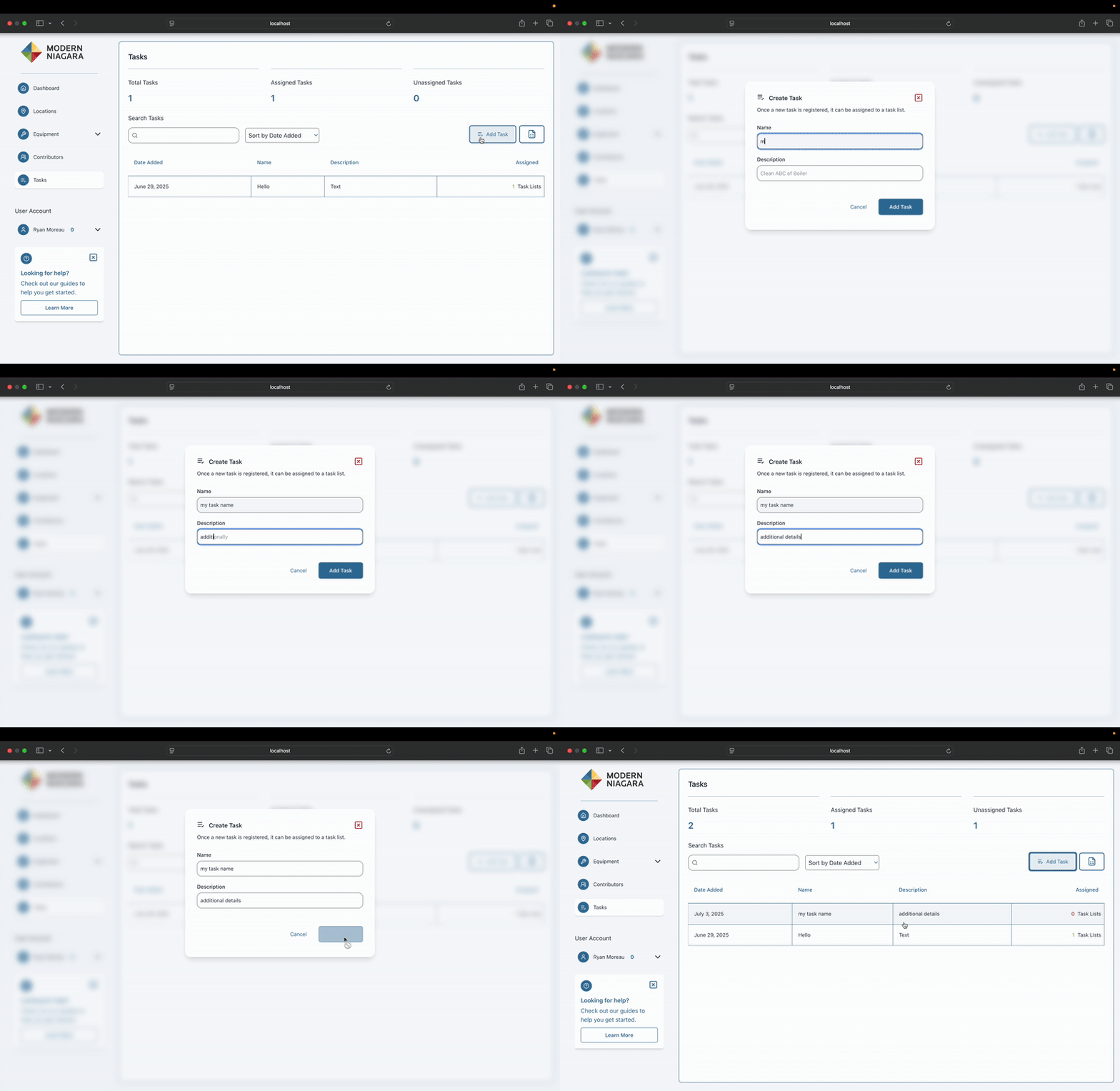
On the tasks page, click the "Add Task" button to open the task creation form. Fill in the required details such as task name, description, assigned location, and any other relevant information. Once completed, click "Save" to add the task to your list.
Editing Tasks
WARNING
Section Coming Soon!
Bulk Editing
WARNING
Section Coming Soon!